Use AI to Harvest Winning Keywords and ASINs
LLM-powered analysis that adds high-performing search terms and ASINs to your campaigns and blocks the ones that waste your spend automatically.
What manual search term analysis actually costs you
-

Hours analyzing reports
Downloading search term reports and mining them row by row, week after week. -

Winners get missed
High-value keywords and ASINs stay buried in thousands of search term rows and never become targets. -

Spend keeps leaking
Search terms and ASINs that get a lot of clicks but never convert, quietly draining your budget.
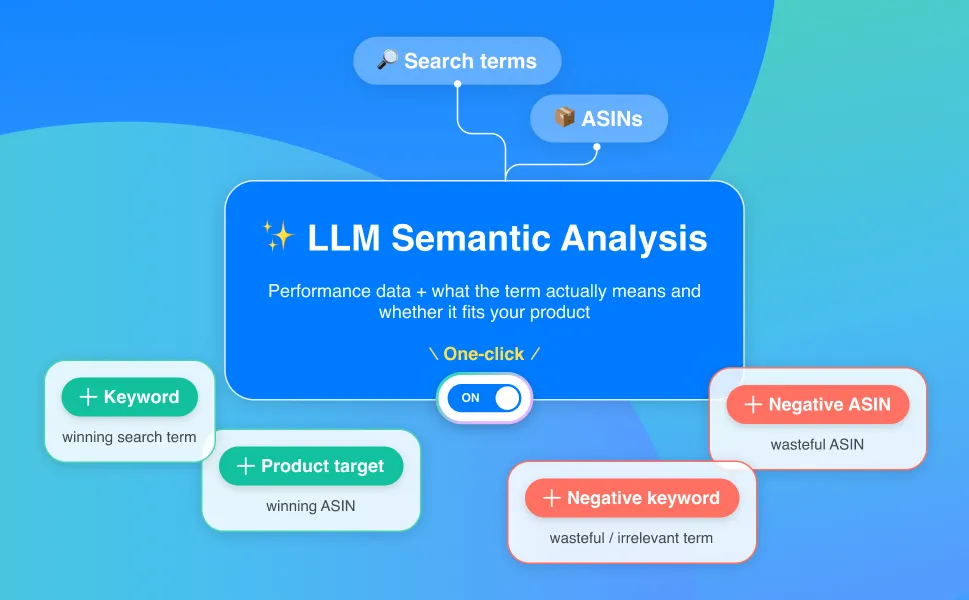
Toggle On. Smarter Targeting.
One switch. AI-Harvesting reviews every search term and ASIN in your
Sponsored Products campaigns automatically.

Beyond the numbers. It reads what searches actually mean.
AI-Harvesting pairs performance data with LLM semantic analysis to judge whether a search term or ASIN is truly relevant to your product.
Four Actions. Fully Automated
Every keyword and product ends up exactly where it should.
-
+ KEYWORDS
High-performing search terms
Winning search terms are added to your campaigns as keyword targets.
-
+ PRODUCT TARGETS
High-performing ASINs
Converting ASINs are added as product targets so you show up where you sell.
-
+ NEGATIVE KEYWORDS
Poor or irrelevant search terms
Terms that spend without converting, or don't match your product, get blocked.
-
+ NEGATIVE ASINS
Poor-performing ASINs
ASINs that eat spend and never convert are excluded automatically.
-
🔄 Always Working
Harvesting runs automatically,
so there are no reports to pull. -
📣 Sponsored Products
Enhances your existing SP harvesting flow with LLM analysis.
-
🎛 Stay in Control
Manage your targeting settings manually anytime. The AI never locks you out.
Full visibility into every harvest
Every harvested keyword, product target, and negative is recorded in Ad History: what was added, and when.
Get started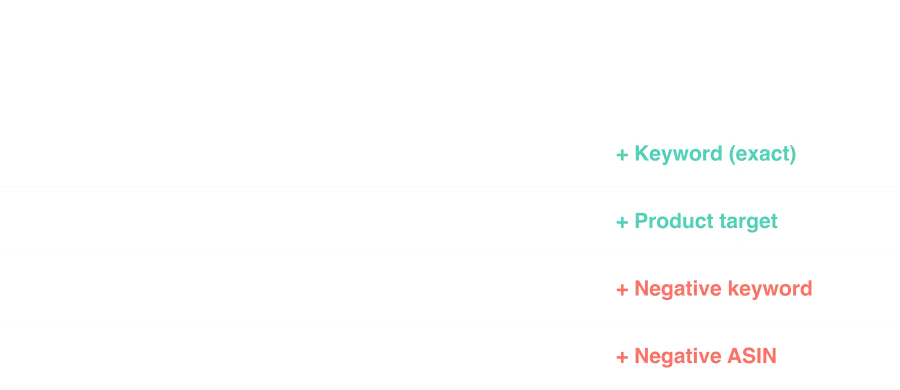
Harvest manually. Or let AI do it
BEFORE Manual Harvesting
-
Hours mining search term reports
-
Gut-feel add / negate decisions
-
Wasted spend piles up between reviews
-
Weekly, at best
AFTER BQool AI-Harvesting
-
Zero research time
-
LLM-evaluated decisions
-
Negatives added automatically
-
Runs on its own, no reports to pull
Frequently Asked questions
What is BQool's AI-Harvesting?
It's one-click automation that reviews every search term and ASIN in your Sponsored Products campaigns and decides what to add and what to block. Instead of manually digging through search term reports, you turn on a toggle and the AI handles it for you.
What actions does AI-Harvesting actually take?
Four things:
1. Adds winning search terms to your campaigns as keyword targets.
2. Adds high-converting ASINs as product targets.
3. Blocks wasteful or irrelevant search terms as negative keywords.
4. Excludes poor-performing ASINs as negative ASINs.
What does "LLM semantic analysis" mean? How is that different from rules?
Traditional rule-based harvesting uses static if-then logic you define (e.g., "IF a search term gets 3 orders, add it to exact match"). That works for clear winners and clear losers, but unusual exceptions still slip through the cracks.
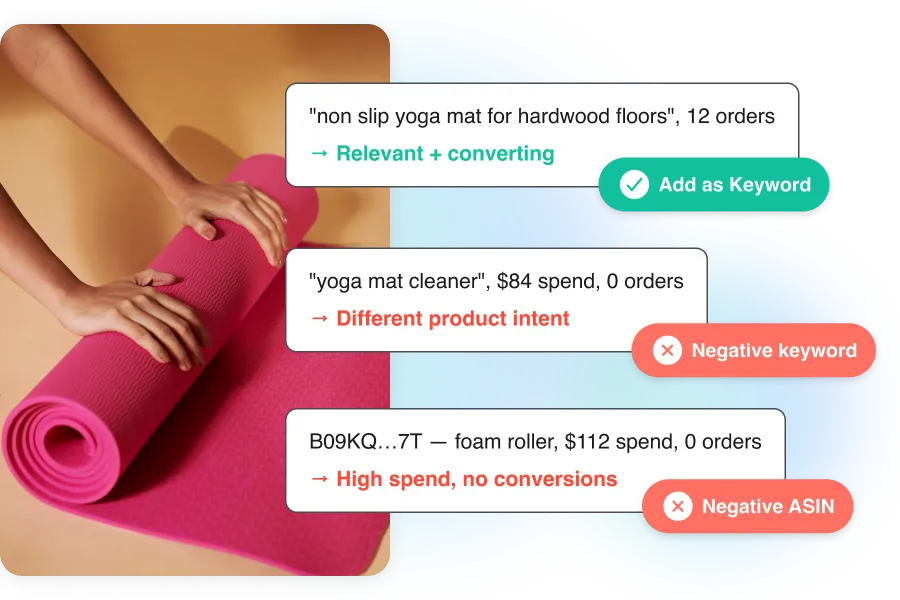
For example, a search term like "yoga mat cleaner" might not hit your negative threshold yet, so it keeps spending on your yoga mat listing. Or a relevant term like "non-slip exercise mat" gets negated just because it triggered a spend rule before it had enough data. Rules can't tell the difference.
AI-Harvesting adds a layer of language understanding. It reads what each search term actually means and judges whether it fits your product, so the right terms get promoted and the wrong ones get blocked earlier.
How is this different from Amazon's automatic targeting?
Amazon's auto campaigns help you discover traffic, but you can't control which keywords or ASINs to target. To do that, you need manual campaigns.
That's where AI-Harvesting comes in. It works on your manual Sponsored Products campaigns and handles the two things sellers spend the most time on: adding search terms and ASINs that convert, and blocking the ones that don't.
Do I need to set up rules or filters?
No. There are no rules to configure. Turn the toggle on and AI-Harvesting starts working on its own. You can still manage your targeting settings manually at any time.
Will it mess up my existing campaign structure?
No. AI-Harvesting only runs on the campaigns and ad groups you choose. It doesn't apply to your entire account automatically. And it never deletes keywords, restructures ad groups, or changes your bids.
Can I still manage keywords and targets manually?
Yes. You can add, remove, or adjust keywords and targets manually at any time, even while the automation is running. AI-Harvesting never locks you out.
What happens if I turn AI-Harvesting off?
Everything the AI has already added stays in place. Keywords, product targets, and negatives don't get deleted. The AI simply stops evaluating new candidates until you turn it back on.
Can I see what the AI harvested?
Yes. Every keyword, product target, and negative the AI adds is recorded in the Ad History log with the date and time. Full transparency.
What campaign types does AI-Harvesting support?
AI-Harvesting currently supports Sponsored Products. It works on your manual SP campaigns.
Stop Mining Reports.
Start Harvesting Winners
30-day free trial. No credit card needed. Cancel anytime. Your future self will thank you.