Give Your Best Campaigns
the Budget They Need.
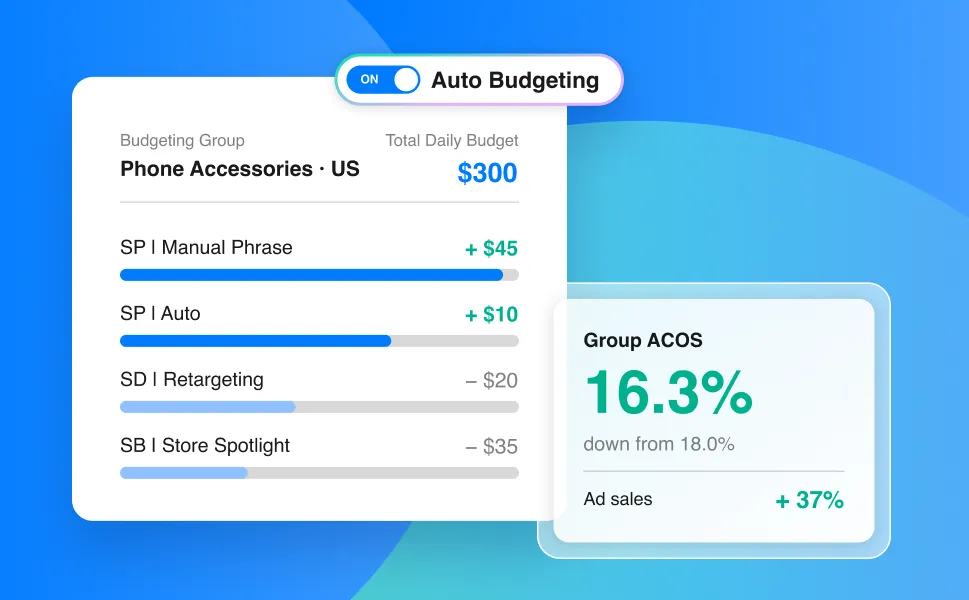
Set one Total Daily Budget for a group of campaigns.
Auto Budgeting redistributes it automatically, so your best campaigns never run out of budget early.
What manual daily budget management actually costs you
-
Top campaigns run out of budget early
Your best campaigns hit their cap before
the day ends and stop serving. -
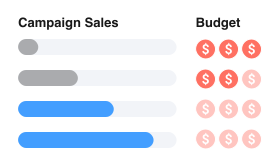
Slow campaigns sit on unspent budget
Budget sits idle in campaigns that don't convert, instead
of going to the ones that do. -

Hours lost adjusting budgets one by one
Checking spend and moving budget between
campaigns drains your time.
Set One Budget.
Make Every Dollar Count.
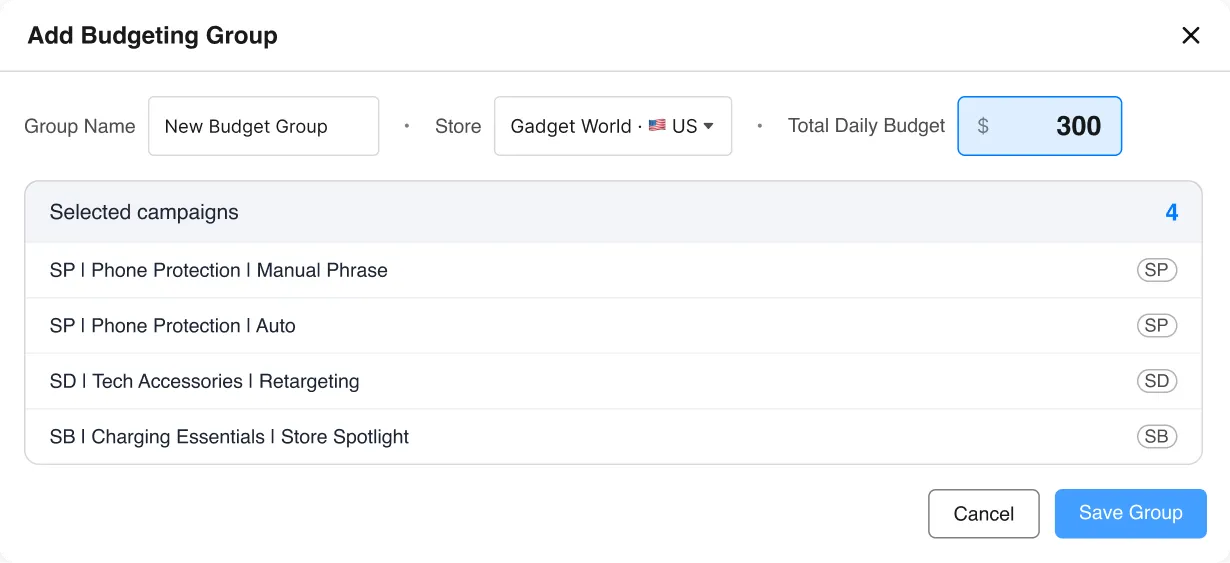
Group campaigns from the same store and marketplace, enter one Total Daily Budget, and Auto Budgeting handles the split.
Budget follows performance, all day long
Auto Budgeting monitors each campaign's recent spend and performance,
then dynamically reallocates budgets to keep top-performing campaigns funded.
-
1
Set a Total Daily Budget
One number for the whole group. -
2
Monitor every campaign
Recent spend and performance are tracked continuously. -
3
Reallocate automatically
Top performers get more. Weaker campaigns give some back.
-
Unused budget
$75→$22 -
Total ad sales
$1,250→$1,710 -
Group ACOS
18.0%→16.3%
Total Daily Budget · $300
SP | Phone Protection | Manual Phrase
$75 / $75SP | Phone Protection | Auto
$75 / $75SD | Tech Accessories | Retargeting
$45 / $75SB | Charging Essentials | Store Spotlight
$30 / $75SP | Phone Protection | Manual Phrase
$118 / $120 +$45SP | Phone Protection | Auto
$85 / $85 +$10SD | Tech Accessories | Retargeting
$45 / $55 –$20SB | Charging Essentials | Store Spotlight
$30 / $40 –$35- Spent
- Unused budget
- Ran out of budget
- Bar length = campaign budget
Every Budget Adjustment. Fully Automated.
All within the Total Daily Budget you set.
-
↑ MORE BUDGET
Top Performers
Strong campaigns stay funded throughout the day.
-
↓ LESS BUDGET
Weaker Campaigns
Budget is shifted from campaigns that underperform.
-
= STAYS IN LIMIT
Total Daily Budget
Allocation never goes beyond the total you set.
-
× NO MANUAL EDITS
Hands-off Budgeting
No more adjusting each campaign's Daily Budget one by one.
-
🔄 Always Optimizing
Budgets adjust automatically, all day.
-
📣 All Sponsored Ads
SP and SD live today, SB coming soon.
-
📦 Up to 50 Campaigns/Group
Smaller groups. Better budget control.
See every budget shift
The Ad History view shows every budget change Auto Budgeting made. Fully transparent.
Get started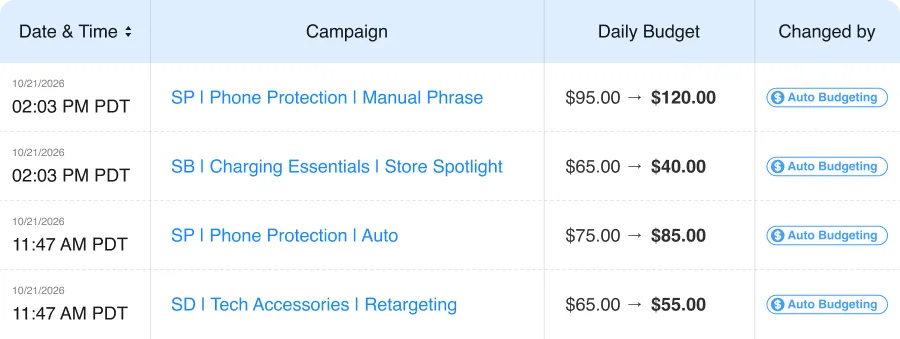
Divide budgets manually.
Or redistribute automatically to top performing campaigns.
- Auto Budgeting
- Manual

BEFORE Manual Budgeting
-
Guessing Daily Budget for every campaign
-
Top campaigns capped out before the day ends
-
Unused budget sits on weak campaigns
-
Checking and editing budgets every day
AFTER BQool Auto Budgeting
-
One Total Daily Budget per group
-
Top campaigns stay funded
-
Budget shifts automatically to what performs
-
Stop juggling budgets. Fund top campaigns automatically.
Frequently Asked Questions
What is BQool's Auto Budgeting?
Auto Budgeting lets you share a single Total Daily Budget across multiple campaigns within the same store and marketplace. It reallocates that budget automatically to where it performs best, keeping top-performing campaigns funded and preventing early budget exhaustion.
How does Auto Budgeting decide where budget goes?
Auto Budgeting redistributes budget within the group based on the Total Daily Budget you set.
However, Amazon may temporarily spend above your set budget under its over-delivery policies. BQool displays the actual spend reported by Amazon. Learn more.
What happens when the group uses its full Total Daily Budget?
All campaigns in the group stop serving for the rest of the day and resume automatically when the new day starts (marketplace time). You don't need to do anything.
What happens to my campaigns' original daily budget setting?
While a campaign is in a Budgeting Group, Auto Budgeting manages its daily budget, and its original setting isn't used.
What happens to my Amazon budget rules and portfolio caps?
Amazon's native budget rules may conflict with BQool's automated budget pacing and allocation logic.
When setting up a Budgeting Group, BQool will prompt you to confirm whether to pause conflicting Amazon budget rules and portfolio settings for the selected campaigns.
How many campaigns can I add to a Budgeting Group?
You can add up to 50 campaigns to a Budgeting Group.
However, very large groups may reduce pacing efficiency, so we recommend managing groups of a reasonable size.
Which campaign types are supported?
Sponsored Products (SP) and Sponsored Display (SD) live today, Sponsored Brands (SB) coming soon.
How is Auto Budgeting different from AI-Bidding?
Auto Budgeting reallocates budget across a group of campaigns to help the group spend its shared budget more efficiently.
AI-Bidding adjusts bids within an individual campaign or ad group to improve that campaign's performance.
You can use both together to optimize individual campaign bids while allocating your shared budget more efficiently across the group.
Keep Your Best Performing
Campaigns Funded.
30-day free trial. No credit card needed. No long contracts.